Language 
We have detected that your language may be: English. Would you like to be redirected to the version of our site in this language?

Procédure
La procédure pour désactiver mod security sur un VPS avec le panel ISPConfig est simple.
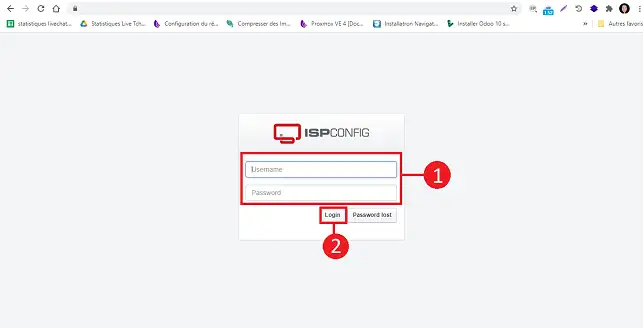
1. Connectez vous sur ISPCONG.
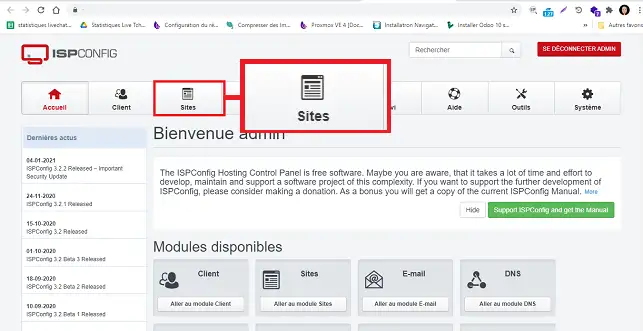
2. Allez dans Sites
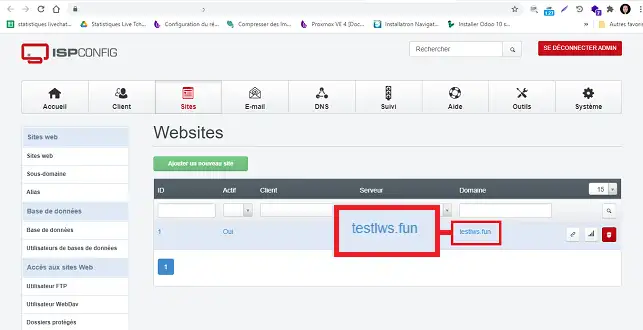
3. Cliquez sur le site ou il faut désactiver Mod security
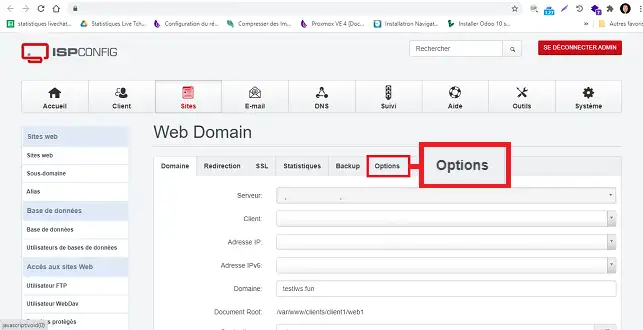
4. Cliquez dans l'onglet Option:
5. Ajoutez ce code dans la rubrique "Directives Apache":
<IfModule mod_security2.c> SecRuleEngine Off </IfModule>
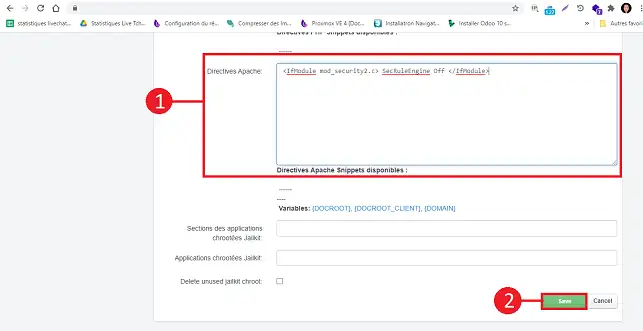
5. Validez et attendez une minute.
Après cela, mod security sera désactivé pour le site que vous avez séléctionné.
Répêtez l'opération sur tous les sites ou vous souhaitez désactiver mod_security
Ask the LWS team and the community. Answers are published after moderation.
 About LWS :
LWS is a 100% French web hosting company that focuses on quality and innovation and offers a responsive and competent technical service at affordable prices.


 Yes
 No